
⚠️ HEADS UP! You must select an option on this page to complete your Viral Dashboard setup. Upgrade To Megabundle Lite
🏢 Brand workspaces
5 → 10
👥 Team seats
6 seats · was 3
⚡ AI credit vault
Bigger
Never expires
📄 Bulk CSV upload
30 posts scheduled ✓
✦ ✦ ✦ ✦
You Can Still Upgrade Your Viral Dashboard Experience…

You Don't Need The MegaBundle Max To Get A Bigger Result With Viral Dashboard.

Get the essential upgrades that help you create, schedule, and manage content faster — plus done-for-you resources to help you put Viral Dashboard to work for your business.

Everything you need to get more out of Viral Dashboard, without going all-in on the biggest bundle.

No Recurring Fee. One Payment. Room To Grow.

⚡ Upgrade To Megabundle Lite →
One-time upgrade Every limit raised Instant access
Money-back guarantee seal
14-Day Money-Back Guarantee🔒 Secure checkout · 💳 All major cards · ⚡ Instant access
No thanks, I'll stay on PRO limits →
10Brand Workspaces
50Social Accounts
1,000Posts / Month
10DFY Industries
Dear New Viral Dashboard Member

Congratulations On
Purchasing Viral Dashboard.

The decision you just made means that:

Never again
  • You'll NEVER have to juggle five tools to publish one post again
  • You'll NEVER have to stare at a blank content calendar again
  • You'll NEVER have to resize, retype, and repost for every platform again
Instead, it means that…
  • You CAN plan, write, design, and publish a month of content from one login
  • You CAN keep up to 5 brands completely separate, each with its own accounts and calendar
  • You CAN offer social media management as a service, because your commercial license is included

You now have a system that does the work of a social media agency from a single dashboard…

But before you go to your dashboard, I need to tell you something.

Something most software owners never mention.

Most people who start an agency don't fail because they lack skill.

They stall because they run out of room.

Think About This…

It Works Beautifully.
Right Up Until It Doesn't.

1

You log in. You set up your first brand. It works beautifully.

2

You sign a second client. Easy.

3

A third. Still fine.

4

Then a fourth wants a second brand for their new product line.

5

Then a fifth.

6

Then a sixth says yes. And you realize you have five workspaces.

No workspace left

So Now You Have Two Options…

Turn down paying work.

or

Squeeze two clients into one workspace

…and watch their content, calendars, and brand kits blur together.

It pains me to say that, but it's the truth…

Your plan doesn't know how good you are. It only knows the number on it.

The Ceiling

And It Comes Down To
Three Limits:

5

Brand workspaces.

Each one is one client's world. Five workspaces means five brands. Not six.

3

Team seats.

That's you plus two helpers. The day you hire a designer, a VA, and a reply manager, you're one seat short.

PRO

AI credit vault.

Plenty for one brand. But every client multiplies what you generate each month.

You can't out-hustle a ceiling.

You can pitch better. Close faster. Deliver beautifully.

And you'll still hit the same wall, just sooner.

So when we built this funnel, my task was simple…

How do we make sure nothing stands between you and your clients?

In this situation, most software owners would just sell you a bigger plan every time you hit a limit.

I knew that would lead to the exact same problem… You finding out where the ceiling is in the middle of onboarding a client.

So I asked the team… "What if we just remove the ceiling before they ever hit it?"

That's How Megabundle Lite Was Born.

  • Every upgrade you just unlocked moves up from PRO to Megabundle Lite.
  • 10 brand workspaces. 50 social accounts. 6 team seats.
  • 1,000 posts a month. A bigger never-expiring AI credit vault.
  • Plus bulk CSV scheduling, 12-month analytics and scheduled client reports.

If you're only ever going to use this for your own brand, skip this page. PRO will serve you for a long time.

But if there's any chance you're building something, a second client, a fifth, a team… you need to see this…

Introducing…
Megabundle Lite

One-time upgrade.

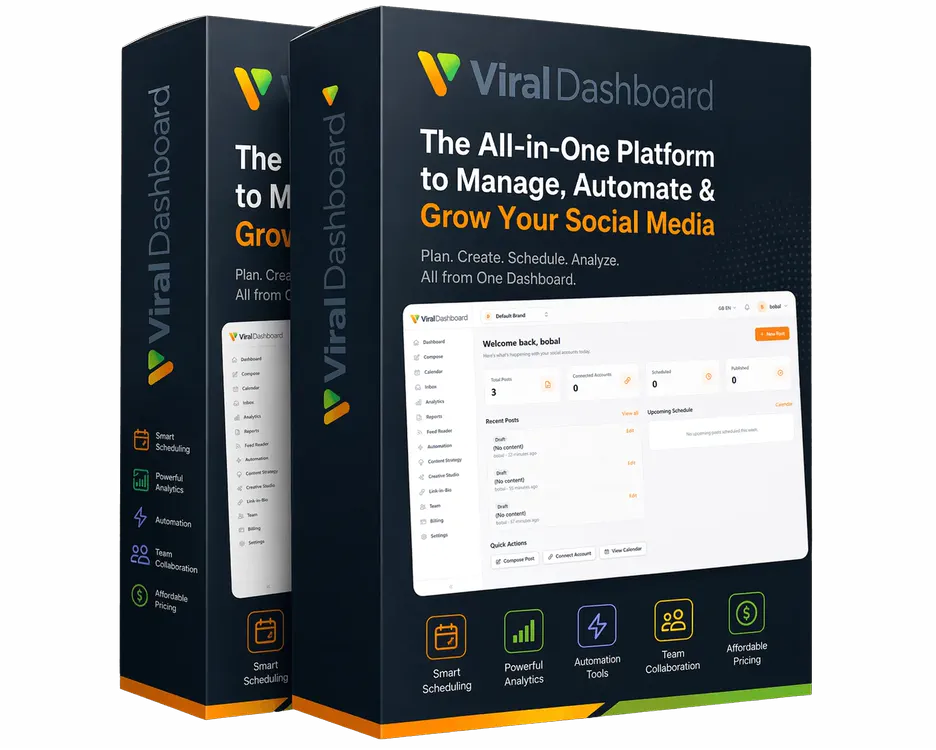
Viral Dashboard Megabundle Lite box shot Lite

One decision that turns "I have the software" into "I have a service to sell."

Side By Side

All Access (PRO) vs Megabundle Lite

All Access (PRO)Megabundle Lite
Posts/month5001,000
Social accounts2550
Brand workspaces510
Team seats36
Bulk CSV scheduling—Included
AI credit vault (never expires)Starter vaultBigger vault
DFY industry library5 industries, 150 posts10 industries, 300 posts
AnalyticsAdvanced, 90-day historyAdvanced + AI insights, ask-your-data, 12-month history, 10 saved views
Listening / competitors5 queries / 3 competitors15 queries / 10 competitors
PDF reportsIncluded4× the reports + scheduled client report emails
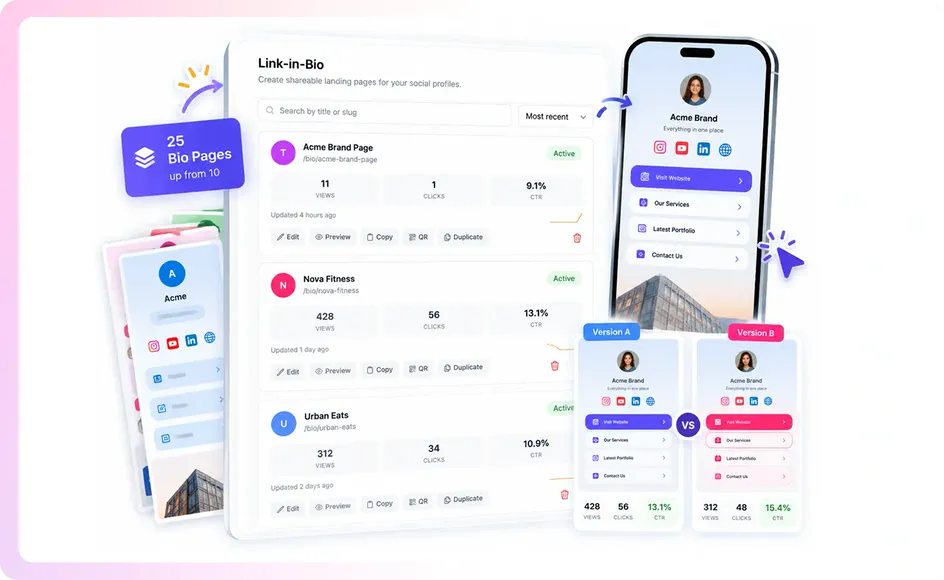
Bio pages1535, with A/B page duplication
11 Upgrades

What Each Upgrade
Actually Means For Your Business

01

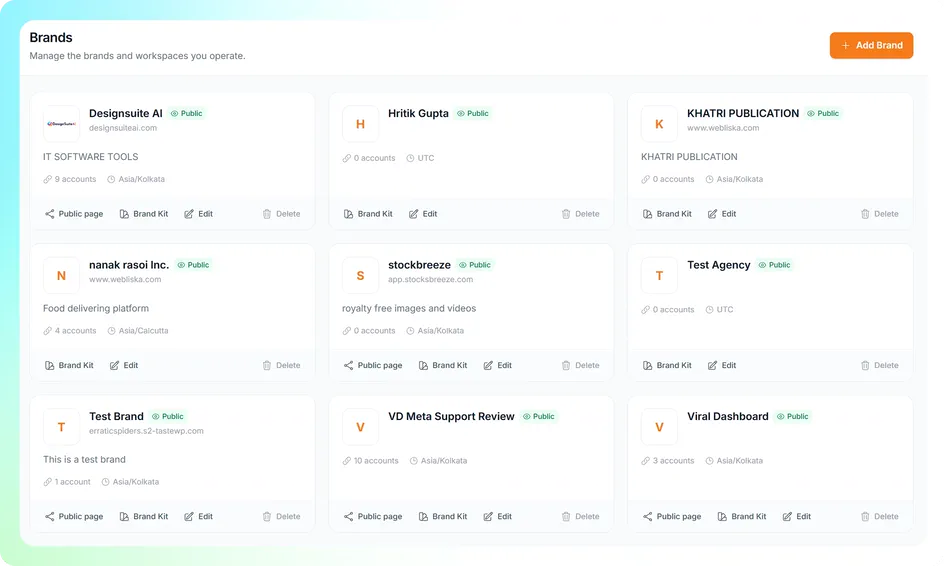
10 Brand Workspaces up from 5

Room for a real client roster, not just a starter one.

Every workspace keeps one client's accounts, calendar, designs, and brand kit completely separate from everyone else's. Five was a comfortable start. Ten is the number where you stop saying no to a prospect because you've got nowhere to put them.
Brand workspace setup
02

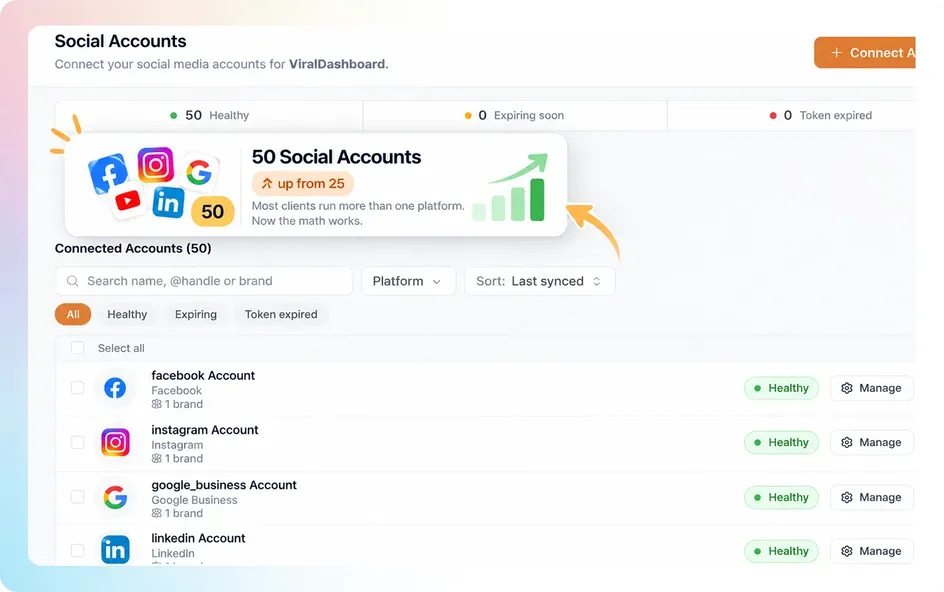
50 Social Accounts up from 25

Most clients run more than one platform. Now the math works.

A typical local business client wants Facebook, Instagram, and Google Business at minimum. Multiply that across ten brand workspaces, and 25 accounts run out fast. Fifty gives every client full platform coverage without you rationing connections.

Brand workspace setup
03

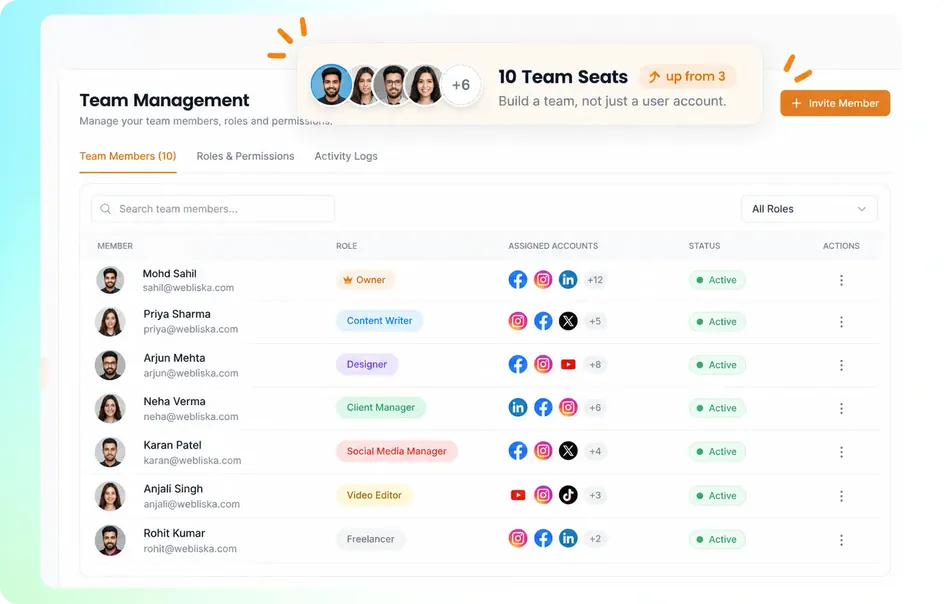
6 Team Seats up from 3

Build a team, not just a user account.

Three seats is you plus two people. Six is a content writer, a designer, a client manager, and room for a couple of freelancers, each with their own role and access to only the brands they work on.

Brand workspace setup
04

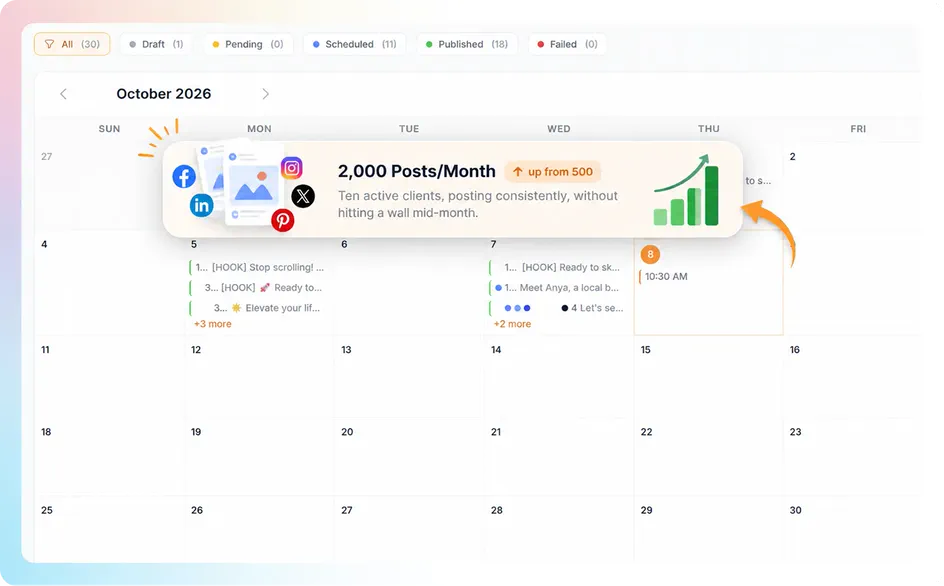
1,000 Posts/Month up from 500

Ten active clients, posting consistently, without hitting a wall mid-month.

Run the math: ten clients posting daily across two to three platforms burns through 500 fast. 1,000 means you're planning content around what's good for the client, not around what your plan allows.

Brand workspace setup
05

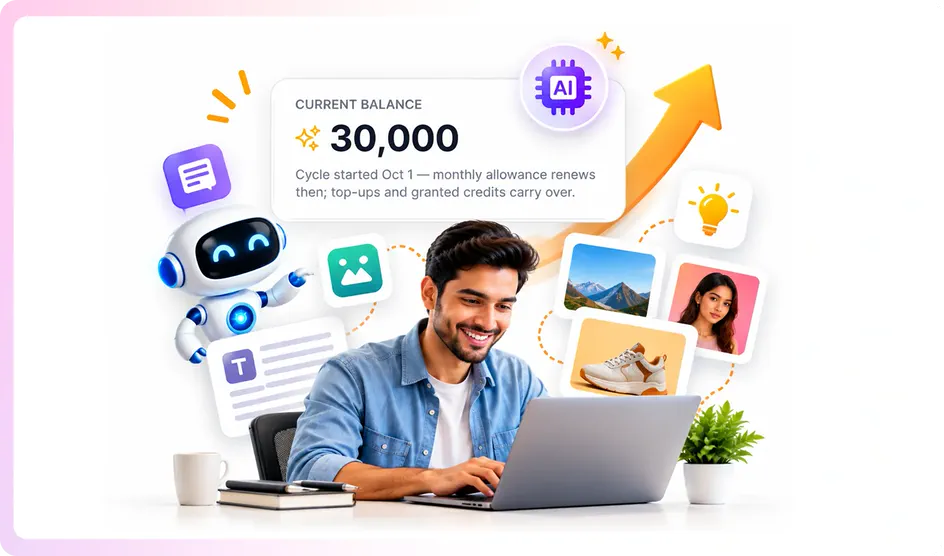
A Bigger AI Credit Vault never expires

The fuel for an agency that's actually running, not just testing.

Every caption, every AI-generated image, every content strategy draws from this pool. At agency scale, across multiple clients, this is the number that keeps you from staring at a "low credits" banner mid-month.

Brand workspace setup
06

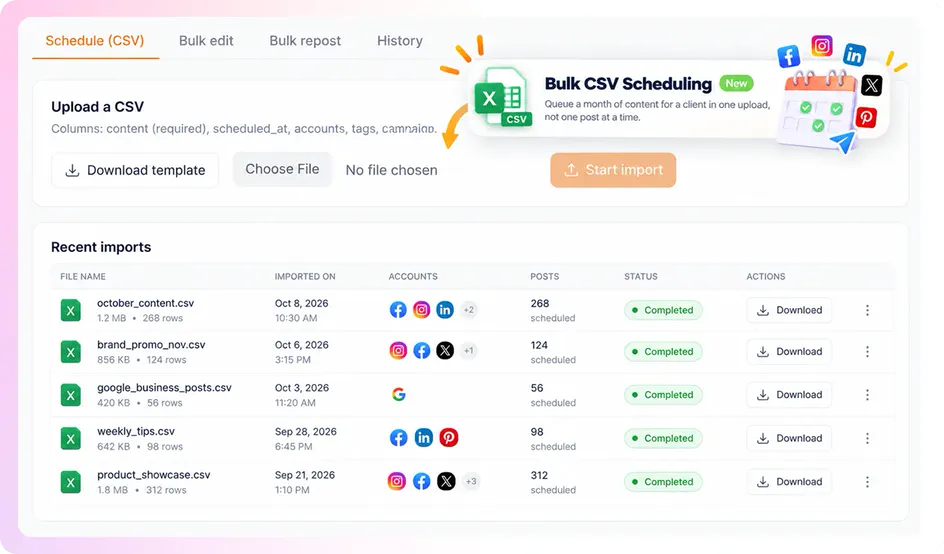
Bulk CSV Scheduling new

Queue a month of content for a client in one upload, not one post at a time.

This is the single biggest time-saver on this entire upgrade list. Build a content plan in a spreadsheet, upload it, and your whole month schedules itself. If you're running more than one or two clients, this alone changes how many hours agency work actually costs you.

Brand workspace setup
07

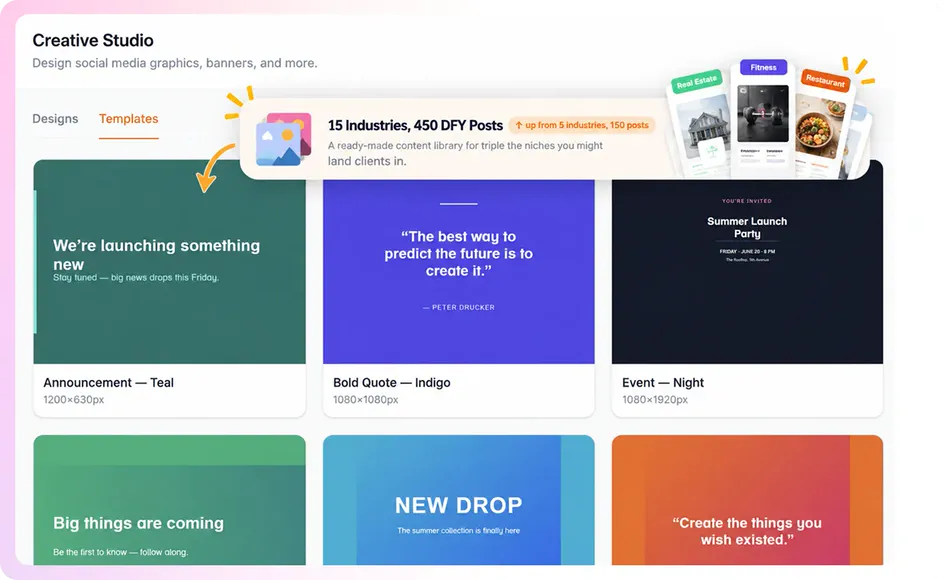
10 Industries, 300 DFY Posts up from 5 industries, 150 posts

A ready-made content library for twice the niches you might land clients in.

Sign a client in a niche you haven't built content for yet? There's a good chance it's already one of the 10 covered, ready to import as a starting point instead of a blank page.

Brand workspace setup
08

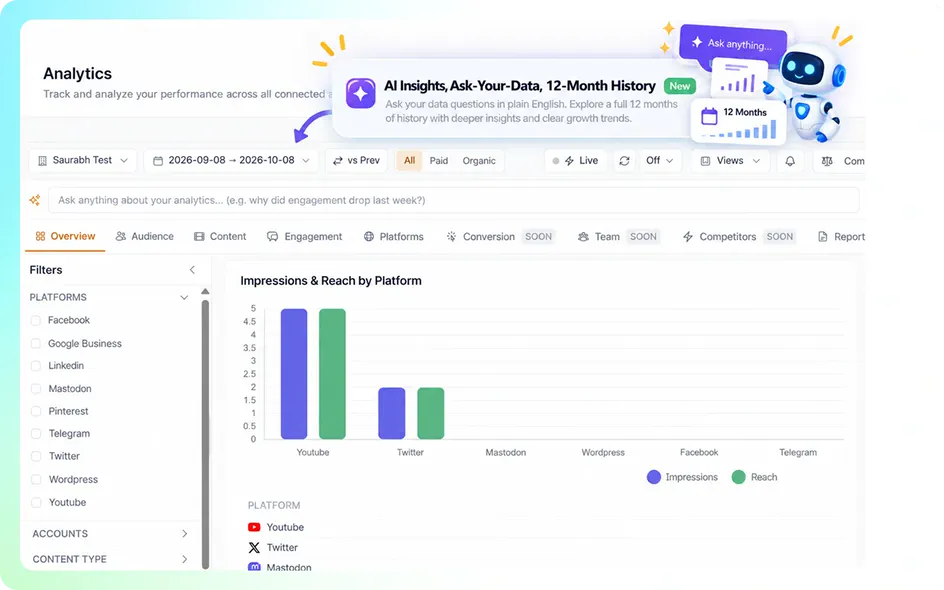
AI Insights, Ask-Your-Data, 12-Month History new / upgraded

The analytics depth that makes your client reports look like a real agency built them.

Ask your own data questions in plain English. Pull a full year of history instead of 90 days, so seasonal trends and real growth are visible, not just a snapshot. This is what separates "here's some numbers" from "here's what's actually working and why."

Brand workspace setup
09

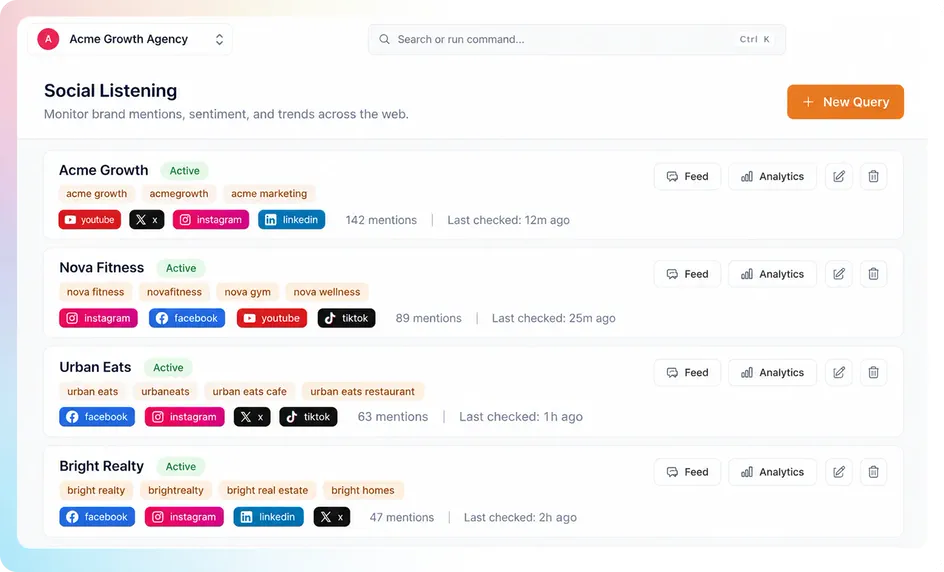
15 Listening Queries, 10 Competitors On Your List up from 5 and 3

Watch what's being said about every client, on X, YouTube, Bluesky and Mastodon.

One listening setup per client isn't enough once you're running more than two or three. This gives you the room to monitor brand mentions and keep a competitor list for a real roster, not just your own business.

Brand workspace setup
10

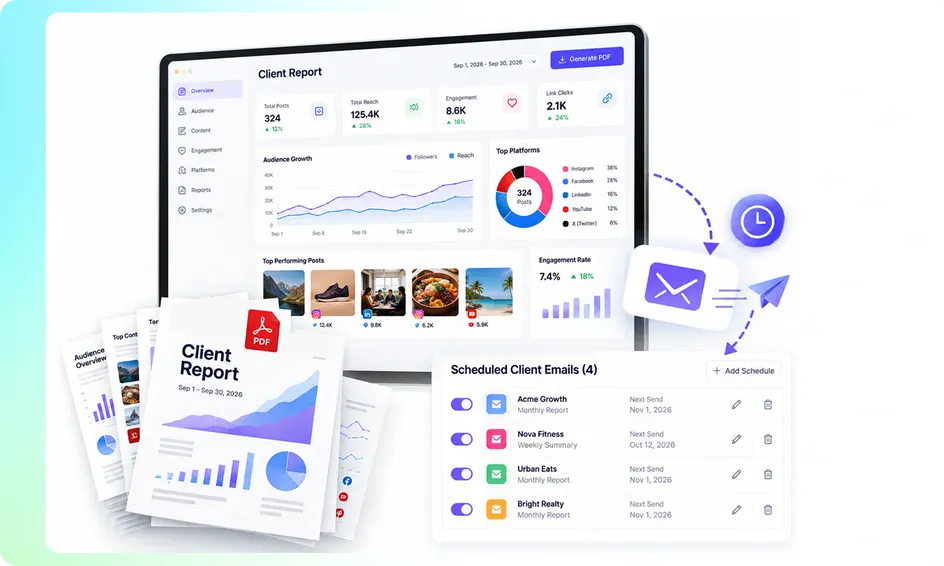
20 PDF Reports/Month + 5 Scheduled Client Emails up from 5/month

The report that sells your next month's retainer, sent automatically.

Client reporting is the task agencies skip because it eats a Sunday. Twenty reports a month covers a real client load, and five of them can be set to land in a client's inbox automatically, on schedule, without you touching send.

Brand workspace setup
11

More Bio Pages, With A/B Duplication upgraded

Test what converts, for every client, not just guess.

Duplicate a bio page, change one thing, and see which version actually gets clicked. At agency scale, this is the difference between delivering a bio page and delivering a bio page that's been optimized.

Brand workspace setup
Everything Above, One Price

Viral Dashboard
Megabundle Lite

Viral Dashboard Megabundle Lite box shot Lite

Megabundle Lite — Everything Above, One Price

Every limit on your account, raised above PRO.

$147 one time

No subscription.

This Includes:

  • 1,000 posts/month (up from 500)
  • 50 social accounts (up from 25)
  • 10 brand workspaces (up from 5)
  • 6 team seats (up from 3)
  • Bulk CSV scheduling
  • A bigger AI credit vault that never expires
  • 10-industry DFY library, 300 posts (up from 5/150)
  • Advanced analytics + AI insights, Ask-Your-Data, 12-month history
  • 3× the social listening queries and competitor slots
  • 4× the PDF reports + scheduled client report emails
  • More bio pages with A/B duplication
ViralDashboard v5 - Megabundle MAX Lite
🔒 Secure checkout 🛡 14-day guarantee ⚡ Instant access 💳 All major cards
No thanks, I'll stay on PRO limits →

💡 Backed By The Same 14-Day Guarantee.

Use Lite for 14 days, and if the extra capacity isn't worth it to you, request a refund.
No forms, no hoops. Email [email protected].

No thanks, I'll stay on PRO limits →
Facebook Instagram X / Twitter LinkedIn + Pages YouTube TikTok Pinterest Threads Bluesky Mastodon Reddit Tumblr Telegram Google Business Medium WordPress WooCommerce Shopify Vimeo VK